Record your screen. Ship a polished video.
Guide Studio is a completely free desktop app that turns a raw screen recording into a finished product video, automatic zoom, smooth cursor, beautiful backgrounds, captions, and AI voiceover. Then export a clean MP4 or GIF.
No account, no trial, no paywall · Open-sourcing soon
Free forever · Works on macOS, Windows, and Linux
Record
Capture the screen, cursor, and you
Record your full screen or a single window with system audio and microphone, and add a webcam bubble you can shape and position. Guide Studio captures your real cursor every shape, click, and movement so it can polish it later.
- Full screen or single window, with system + mic audio
- Webcam picture-in-picture with masks and placement
- Real cursor capture for clicks and motion
Polish
One click makes it look produced
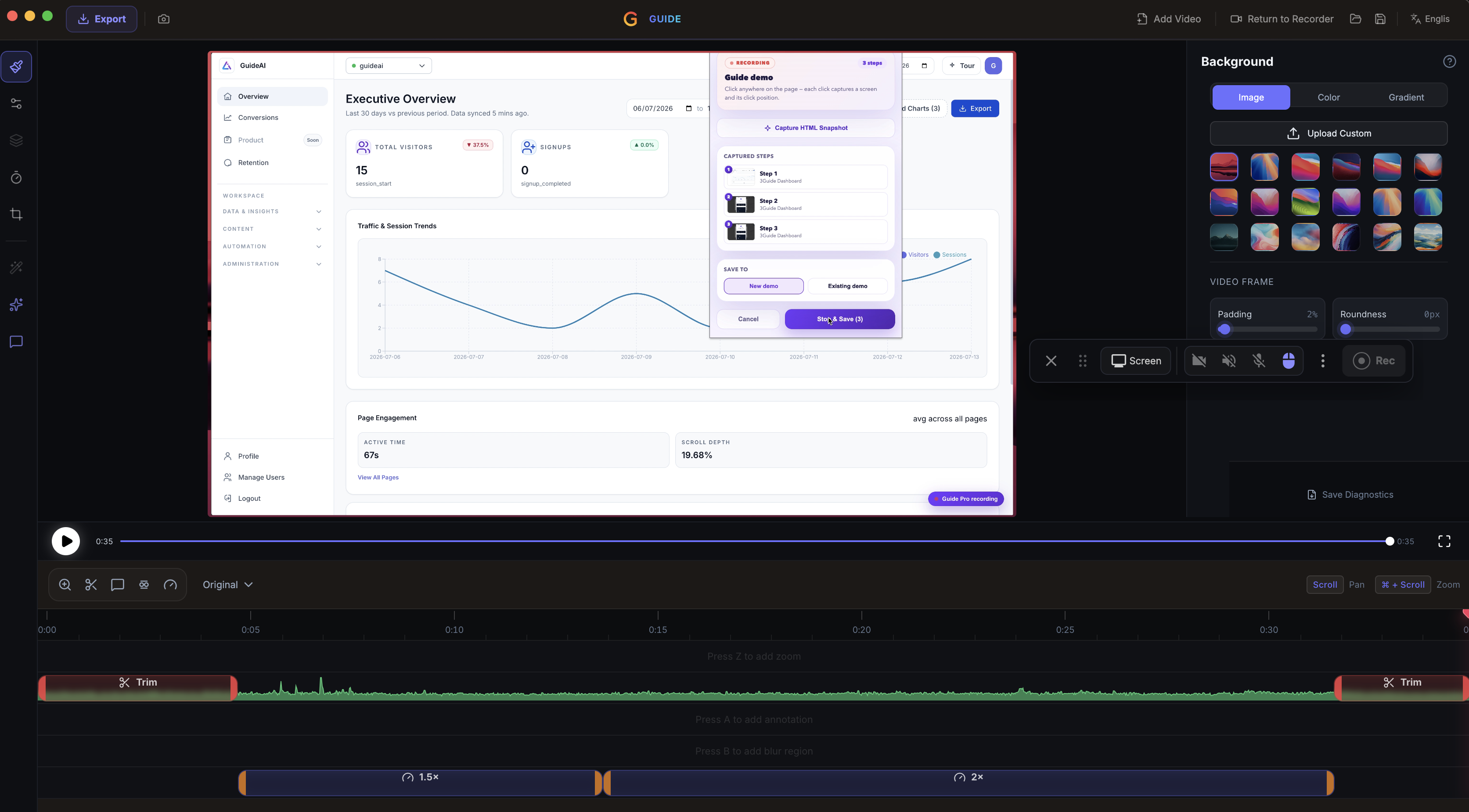
Automatic zoom follows your cursor, dead air gets trimmed, and the cursor path smooths itself out. Drop the recording onto a background, round the corners, add a shadow, and it looks like it took hours in seconds.
- Auto-zoom and pan that track the action
- Smart trim removes the dead air
- Backgrounds, padding, rounded corners, and shadows
Direct with AI
Tell the editor what you want
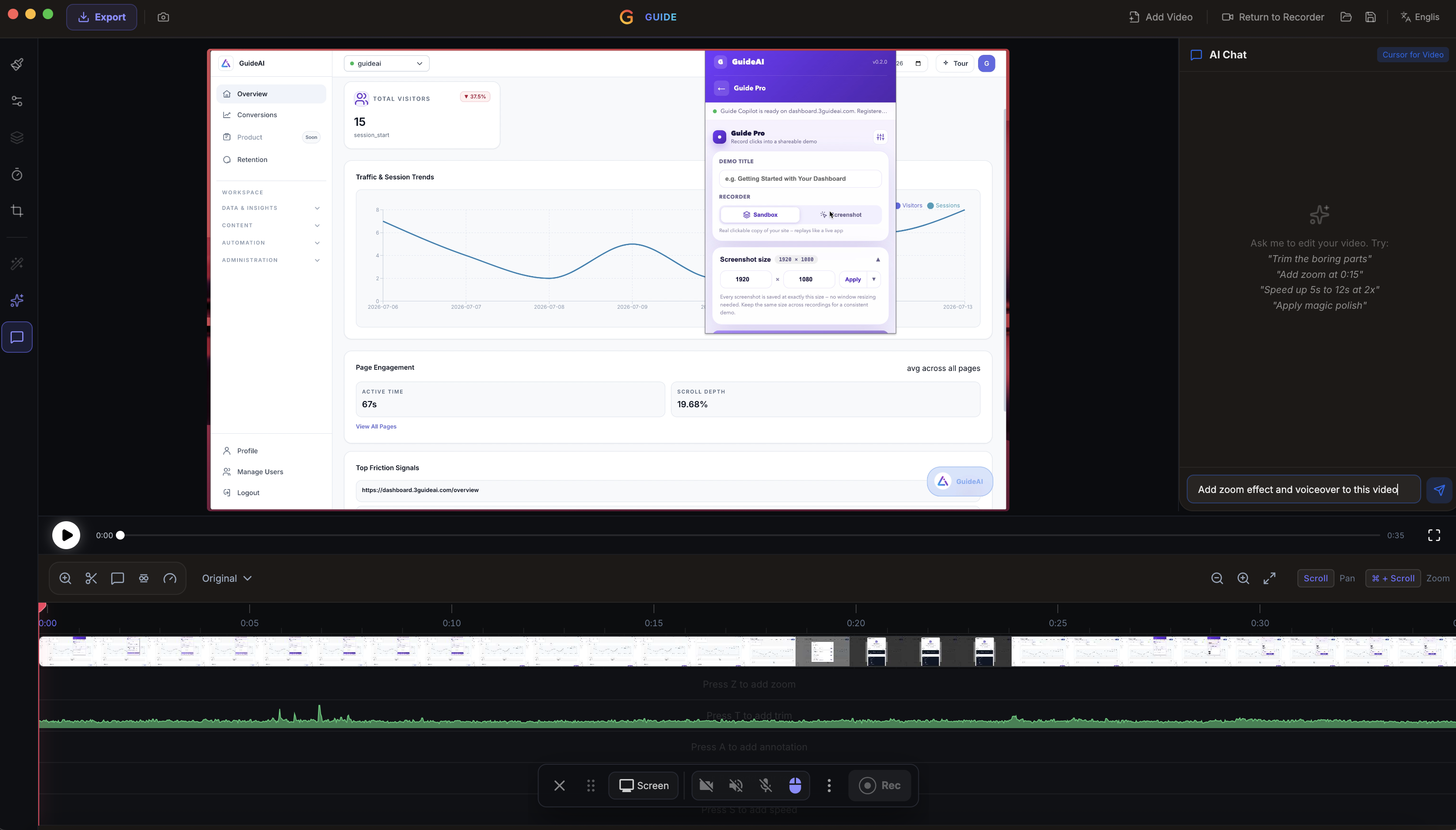
Ask the built-in AI assistant to make the changes 'trim the boring parts', 'add a zoom at 0:15', 'speed up 5s to 12s'. Or hand the AI demo recorder a URL and a goal and let it capture and narrate a full walkthrough on its own.
- Natural-language editing. No timeline wrangling
- AI demo recorder navigates a site and narrates it
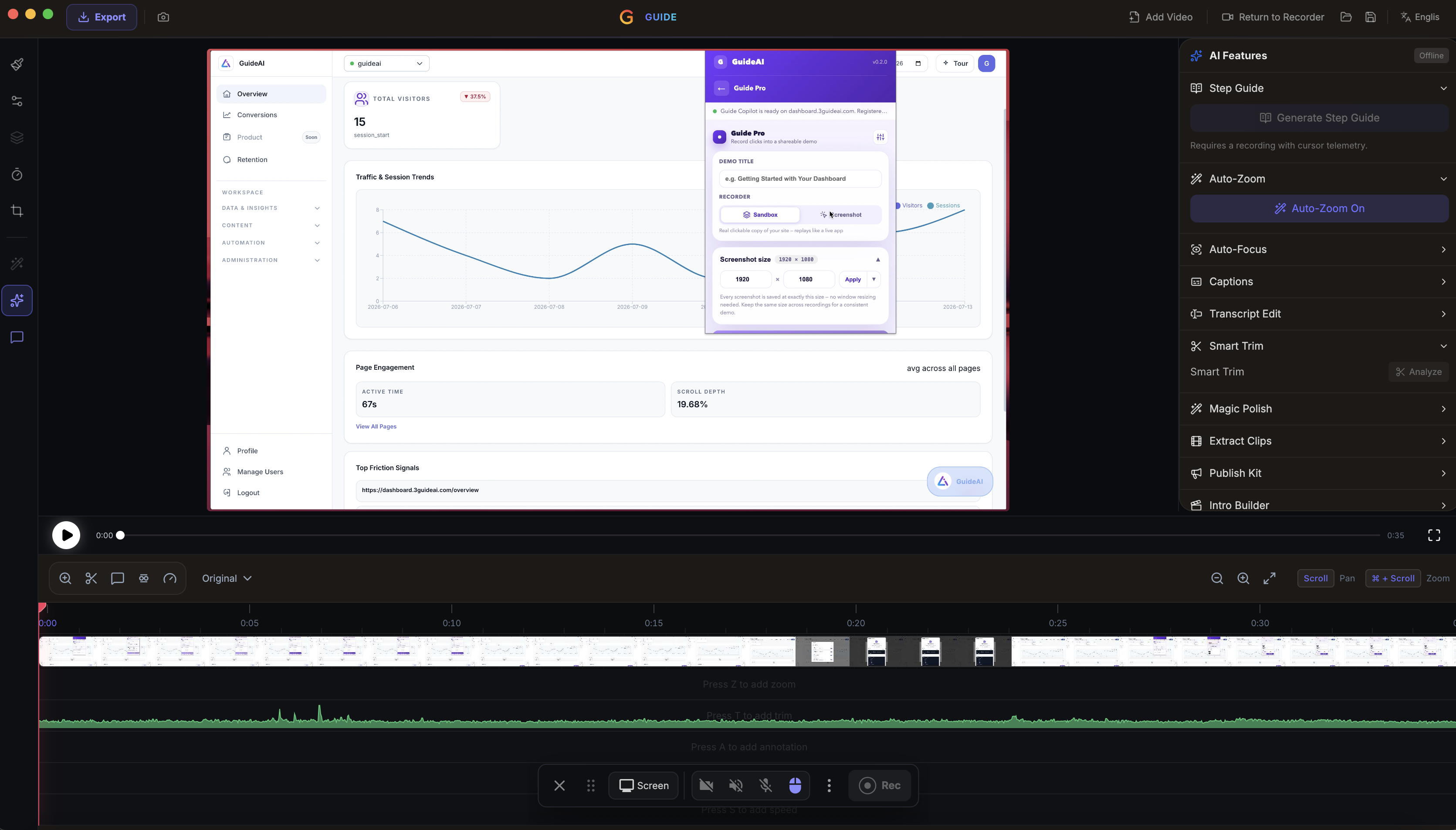
- AI voiceover and on-device auto-captions
In the box
Everything you need to make it look great
Record anything
Capture your full screen or a single window with system audio, microphone, and a webcam bubble you can shape and place.
Automatic zoom
Zoom and pan follow your cursor automatically, so the viewer's eye is always on the action.
Cursor effects
Smooth cursor motion, click rings, custom sizes, and themed pointers make every movement feel intentional.
Backgrounds & framing
Drop your recording onto wallpapers, gradients, or animated backgrounds with padding, rounded corners, and shadows.
Auto captions
Transcribe your recording into styled captions on-device in seconds. No upload, no manual typing.
Scene builder
Open on a title card, cut to a metrics scene, end on your logo.
Export a clean MP4 or GIF
Render at any aspect ratio and resolution and landscape for the web, square for social, or a lightweight GIF for a README. One export, ready to ship.
Use one, or all four
Each works on its own. Together, they cover the whole customer journey.
See the problem
Analytics
Shows you where customers get stuck, and whether your fixes worked.
Explore AnalyticsTeach the user
Guidance
Walks users through your product, step by step, right on the screen.
Explore GuidanceDo it for them
AI Assistant
Does the task for users who'd rather not learn how.
Explore AI AssistantShow the product
Guide Pro
Interactive demos that win customers and train teams.
Explore Guide ProFAQ
Guide Studio, answered
Guide Studio is a desktop app for recording your screen and turning it into a polished product video. It handles the capture, the zoom and cursor effects, backgrounds, captions, and voiceover.
Guide Pro builds interactive, clickable demos you embed on a page. Guide Studio produces finished video. The MP4 or GIF you'd post to your site, a launch tweet, or a training library. Many teams use both: an interactive demo to explore, a video to watch.
Only if you want to. One-click polish adds zooms, trims dead air, and cleans up the cursor automatically. You can also just tell the built-in AI assistant what to change, 'trim the boring parts', 'add a zoom at 0:15', 'speed up this section'.
Yes. Give the AI demo recorder a URL and a goal and it navigates the site itself, capturing the flow with narration written as it goes as a first draft you can refine.
MP4 or GIF, in whatever aspect ratio and resolution you need for the web, social, or docs.
Nothing. Guide Studio is completely free to download and use, no account, no trial, and no paywalled features. We're also open-sourcing it soon, so you'll be able to inspect, self-host, and contribute to the code.
Make product videos worth watching — free
Download Guide Studio, record, let it polish the video, and export in minutes. Completely free, and open-sourcing soon.
Free plan · No credit card · Works on tools you didn't build