Show users how, right inside your product
Step-by-step walkthroughs, tips and announcements that appear on the real screen, so new users reach their first win without reading a manual or calling support.
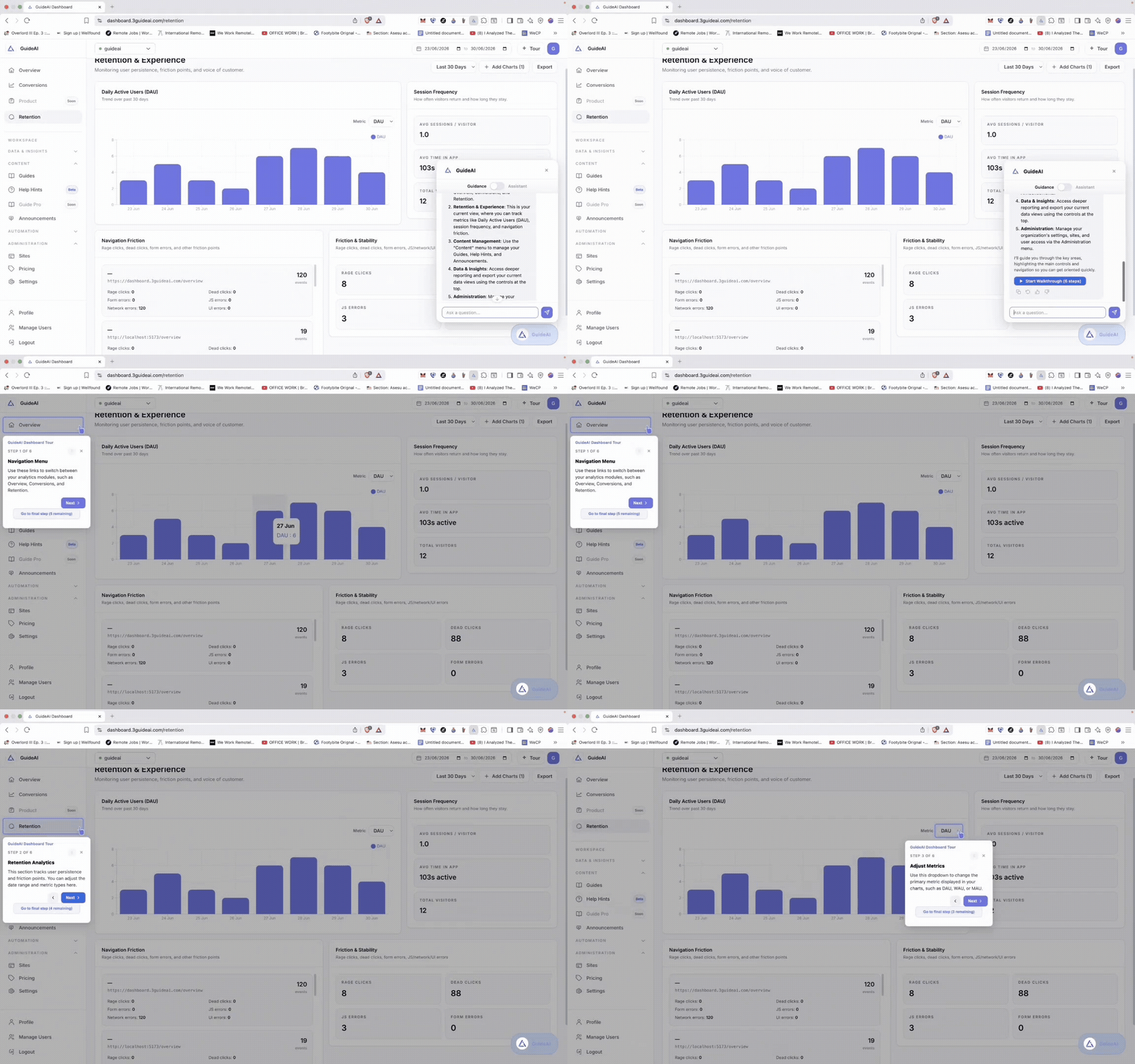
What it does for you
More customers who know how to use your product
Faster onboarding
New users are guided through setup on the screen, step by step, and reach value sooner.
Features that get used
Announce new features where people will use them, not in an email they'll skip.
Fewer “how do I” tickets
Users can ask how to do something and get shown, right there, instead of contacting support.
Who it's for
Who gets the most from it
SaaS companies
Onboard every new customer the same way your best account manager would.
Businesses training staff
Guide employees through Salesforce, HR or finance tools, even ones you didn't build.
Complex products
Fintech, ERP and admin-heavy software where one wrong step means a support call.
Use one, or all four
Each works on its own. Together, they cover the whole customer journey.
See the problem
Analytics
Shows you where customers get stuck, and whether your fixes worked.
Explore AnalyticsYou're hereTeach the user
Guidance
Walks users through your product, step by step, right on the screen.
Do it for them
AI Assistant
Does the task for users who'd rather not learn how.
Explore AI AssistantShow the product
Guide Pro
Interactive demos that win customers and train teams.
Explore Guide ProFAQ
Guidance, answered
No. Your team creates them by clicking through the product or simply describing what users should do. A developer only adds one line to your website, once.
Walkthroughs adjust themselves. When a button moves or a page is redesigned, 3Guide finds the new location and repairs the step for you.
Yes. The browser extension adds walkthroughs to tools like Salesforce or your internal systems, with no changes to those tools.
Launch your first walkthrough today
Guidance is on the Free plan, so you can start today.
Free plan · No credit card · Works on tools you didn't build